
Choosing the right email marketing platform can make a significant difference to the growth of an online business. Whether you are a blogger, content creator, newsletter publisher, or digital entrepreneur, you need software that helps you build an audience and communicate with subscribers effectively.
In this Kit Email Marketing Review, we take an in-depth look at Kit, formerly known as ConvertKit. We examine its features, email marketing automation, pricing, advantages, disadvantages, and potential value for different types of businesses.
Kit is particularly focused on creators who want to build an audience, send newsletters, and monetize their content. But is it the right email marketing platform for your business?
Let’s find out.
1. What Is Kit?
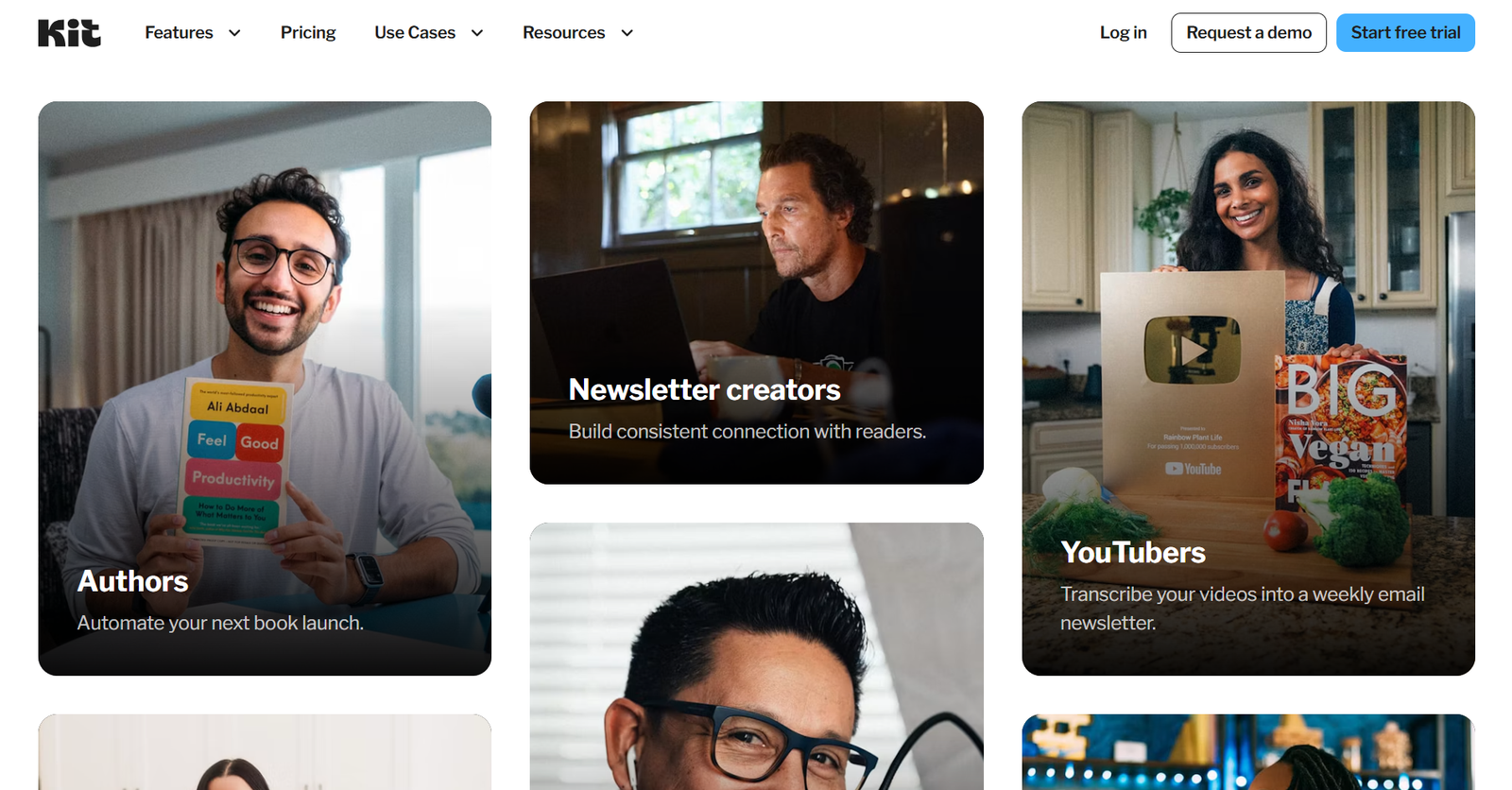
Kit is an email marketing platform designed primarily for creators, bloggers, authors, newsletter publishers, and online businesses.
Previously known as ConvertKit, the company rebranded as Kit to reflect its broader focus on helping creators build and grow their businesses.
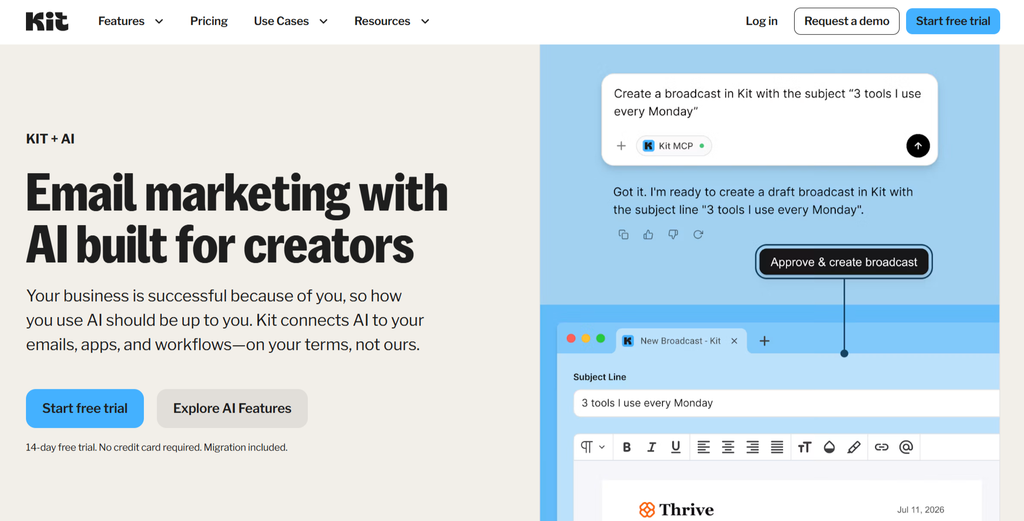
The platform combines email marketing, subscriber management, automation, landing pages, forms, and monetization tools.
Unlike some traditional email marketing platforms that focus heavily on large marketing departments, Kit puts considerable emphasis on simplicity and creator-focused workflows.
Its main purpose is to help users attract subscribers, communicate with their audiences, and turn that audience into a source of revenue.
Official website: https://kit.com/
2. Kit Email Marketing Features: What Does the Platform Offer?
One of the most important parts of this Kit Email Marketing Review is examining the tools users actually receive.
Here are the platform’s most important features.
Email Broadcasts and Newsletters
Kit allows users to create and send email broadcasts to their subscribers.
You can use broadcasts to share newsletters, announcements, product updates, educational content, and promotional messages.
The email editor is designed to make publishing straightforward, especially for creators who prefer a relatively simple, writing-focused experience.

Email Marketing Automation
Automation is one of the most valuable features of any modern email marketing platform.
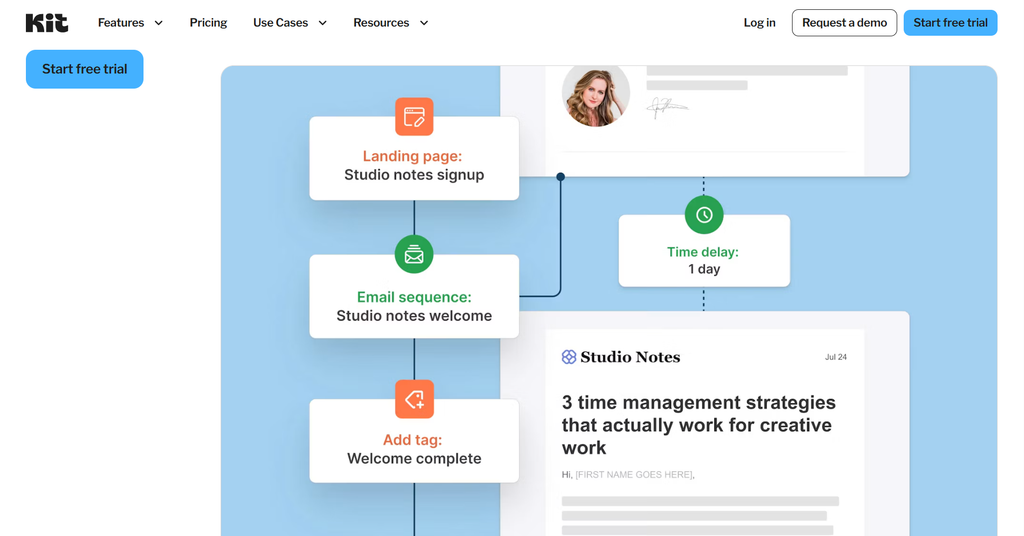
Kit allows users to create automated email sequences and workflows based on subscriber actions and other triggers.
For example, you can create a welcome sequence for new subscribers, send educational emails over several days, or guide subscribers towards a product or service.
These workflows can save time and help businesses communicate with subscribers more consistently.
For creators who want to grow their businesses without manually sending every message, email automation can be particularly useful.
Landing Pages and Signup Forms
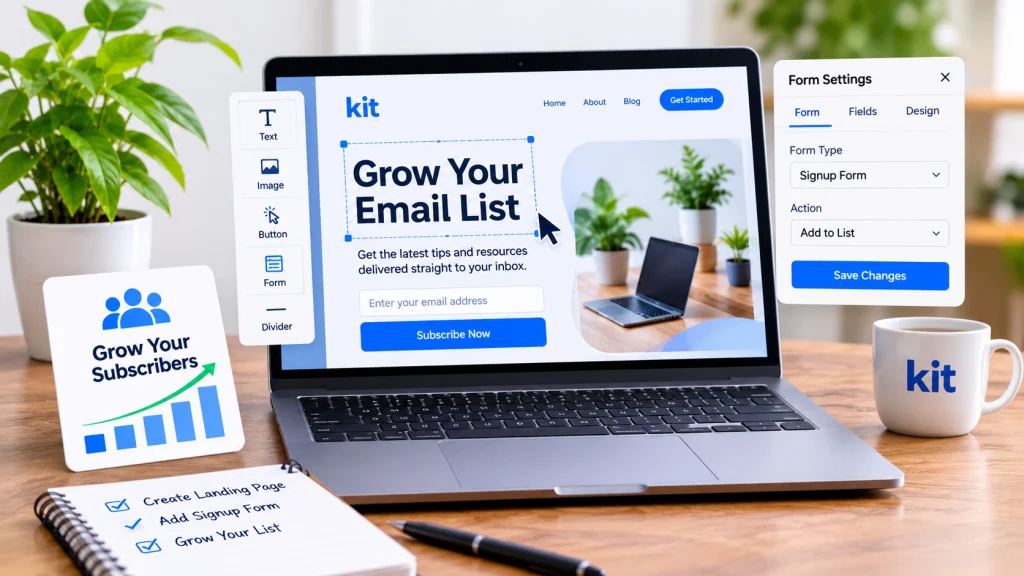
Kit provides tools for creating landing pages and signup forms.
These features allow creators to collect email addresses without necessarily needing a separate website or landing-page service.
You can use signup forms to offer a newsletter, downloadable resource, free guide, or other incentive in exchange for an email subscription.
For bloggers and content creators, this can be particularly useful when building an email list from website traffic.
Subscriber Management and Segmentation
Not every subscriber is interested in the same content.
Kit provides subscriber management tools that help users organize their audiences and target communications more effectively.
Tags and segmentation can help you distinguish between different subscriber interests, engagement levels, and customer groups.
This makes it easier to send more relevant emails instead of sending every message to your entire list.
Creator Network
Kit also offers a Creator Network designed to help creators discover one another and grow their audiences through recommendations.
This feature can be useful for newsletter publishers who want to reach new readers and build relationships with other creators.

Monetization Tools
Kit is not only about sending emails. It also provides tools that can help creators generate revenue from their audiences.
Depending on eligibility and the available features in your account, creators can use Kit to support paid newsletters, digital products, and other monetization activities.
This creator-focused approach is one of the platform’s distinguishing characteristics.
3. Kit Pricing: How Much Does It Cost?
Pricing is an important consideration when choosing email marketing software.
Kit offers different plans depending on the user’s requirements and subscriber count. Available features and prices may change, so you should always check the official pricing page before making a purchase.
Official pricing page: https://kit.com/pricing
When evaluating Kit pricing, consider:
- How many subscribers you need to manage.
- Which automation features are included.
- Whether you need advanced segmentation.
- Whether you plan to sell digital products or paid newsletters.
- How quickly your subscriber list is expected to grow.
For a new creator, starting with an entry-level plan may be sufficient. More established businesses should compare the available plans carefully before upgrading.
4. Pros and Cons of Kit
No email marketing platform is perfect. The right choice depends on your business model, budget, and technical requirements.
Advantages
- Designed specifically for creators and newsletter publishers.
- Straightforward email broadcast functionality.
- Automation tools for subscriber communication.
- Landing pages and signup forms.
- Subscriber tagging and segmentation.
- Creator Network features for audience growth.
- Monetization options for creators.
Disadvantages
- Some businesses may need more advanced marketing and CRM functionality.
- Costs can increase as the subscriber list grows.
- Users looking for highly complex marketing workflows may prefer a more comprehensive platform.
- The creator-focused approach may not suit every traditional business.
5. Kit vs. Other Email Marketing Platforms
Before choosing Kit, it is worth comparing it with other established email marketing services.
Here are several alternatives worth considering:
MailerLite – A practical option for small businesses, bloggers, and creators looking for accessible email marketing tools. Read our MailerLite Review.
GetResponse – Offers a broader marketing toolkit, including email marketing, automation, and additional marketing features. Read our GetResponse Review.
ActiveCampaign – Worth considering for businesses that need sophisticated automation and customer experience workflows. Read our ActiveCampaign Review.
Brevo – An alternative for businesses looking for email marketing alongside other customer communication tools. Read our Brevo Review.
The best platform depends on what you need. Kit is particularly attractive to creators, while other services may be better suited to businesses with more complex marketing requirements.
6. Kit Affiliate Program: Can You Earn Money by Promoting It?
For bloggers and SaaS reviewers, the affiliate program is an important part of evaluating a software company.
Kit has an affiliate program that allows eligible partners to promote its platform and potentially earn commissions from referred customers.
Official affiliate page: https://kit.com/affiliate
Before joining, carefully check the current program terms, including:
- Commission structure.
- Whether commissions are recurring or one-time.
- Commission duration.
- Cookie tracking period.
- Payment schedule and minimum payout.
- Geographic and promotional eligibility requirements.
These details matter because the headline commission alone does not tell you how much an affiliate can realistically earn.
How Much Could a Kit Affiliate Earn?
Let’s consider a hypothetical example.
Suppose an affiliate earns an assumed commission of $10 per month for each active paying customer.
| Active paying customers | Hypothetical monthly earnings |
|---|---|
| 10 | $100 |
| 50 | $500 |
| 100 | $1,000 |
These figures are illustrative only. They are not Kit’s confirmed commission rates or a guarantee of earnings.
Actual income depends on the current affiliate agreement, customer subscription value, commission rules, cancellations, and payment eligibility.
For a SaaS review blog, the key opportunity is attracting readers who are actively comparing email marketing platforms and are close to making a purchasing decision.
7. Who Should Use Kit?
Kit may be a good choice for:
- Bloggers who want to build an email audience.
- Newsletter creators.
- Independent authors and writers.
- Content creators and online educators.
- Digital entrepreneurs selling products or services.
- Businesses that prefer creator-focused email marketing tools.
However, companies that require advanced CRM capabilities, complex sales processes, or extensive enterprise marketing functionality should compare Kit with other platforms before committing.
8. Is Kit Worth It? Our Final Verdict
After examining its features, automation tools, audience-building capabilities, and monetization options, Kit stands out as a platform built around the needs of creators.
This Kit Email Marketing Review shows that its combination of email broadcasts, automation, landing pages, subscriber management, and creator-focused tools makes it an interesting option for bloggers, newsletter publishers, and digital entrepreneurs.
However, Kit is not necessarily the best solution for every business.
If your priority is building an audience and communicating with subscribers, Kit deserves consideration. If you need a more comprehensive marketing or CRM environment, alternatives such as ActiveCampaign or GetResponse may be worth comparing.
Our verdict: Kit is a strong platform to consider for creators who want to build, engage, and monetize an email audience.
Before choosing a plan, compare the current features and pricing with your actual business requirements.
Frequently Asked Questions About Kit
Is Kit the same as ConvertKit?
Yes. Kit was previously known as ConvertKit. The company changed its brand name to Kit.
Is Kit good for beginners?
Kit can be suitable for beginners, particularly bloggers and creators who want to start building an email list and sending newsletters.
Does Kit offer email automation?
Yes. Kit provides automation tools that allow users to create automated email sequences and workflows.
Is Kit suitable for small businesses?
It can be suitable for small businesses, especially those built around content, newsletters, and digital products. Businesses with more complex requirements should compare it with other platforms.
Does Kit have an affiliate program?
Yes. Kit has an affiliate program. Prospective partners should review the official affiliate page to confirm the latest commission structure and eligibility requirements.
Affiliate Disclosure: This article may contain affiliate links. If you purchase a product through one of these links, we may earn a commission at no additional cost to you. Our opinions remain independent, and we aim to provide honest and useful information to help readers make informed decisions.
Pingback: ActiveCampaign Review: 7 Essential Facts Before You Buy